


Contents
- 1. The Landscape: Native vs. Host Bluetooth
- 2. Fit Check: Which Wireless Setup Do You Need?
- 3. Step-by-Step Setup: Mastering the Connection
- 4. Market Comparison: Bluetooth Capabilities
- 5. Deep Dive: Why "Bluetooth 5.3" Matters for X3 Pro
- 6. Realistic Limitations & Transparency
- 7. FAQ: Expert Connectivity Advice
- 8. Next Steps: Choose Your Connection
If you are asking "which smart glasses support Bluetooth," the short answer is: almost all of them, but in very different ways.
In 2026, Bluetooth support isn't just a "Yes/No" feature. It defines the entire architecture of the device. Buying the wrong type leads to frustration—like trying to connect wireless headphones to a device that is just a monitor.
Here is the quick verdict based on what you actually want to do:
-
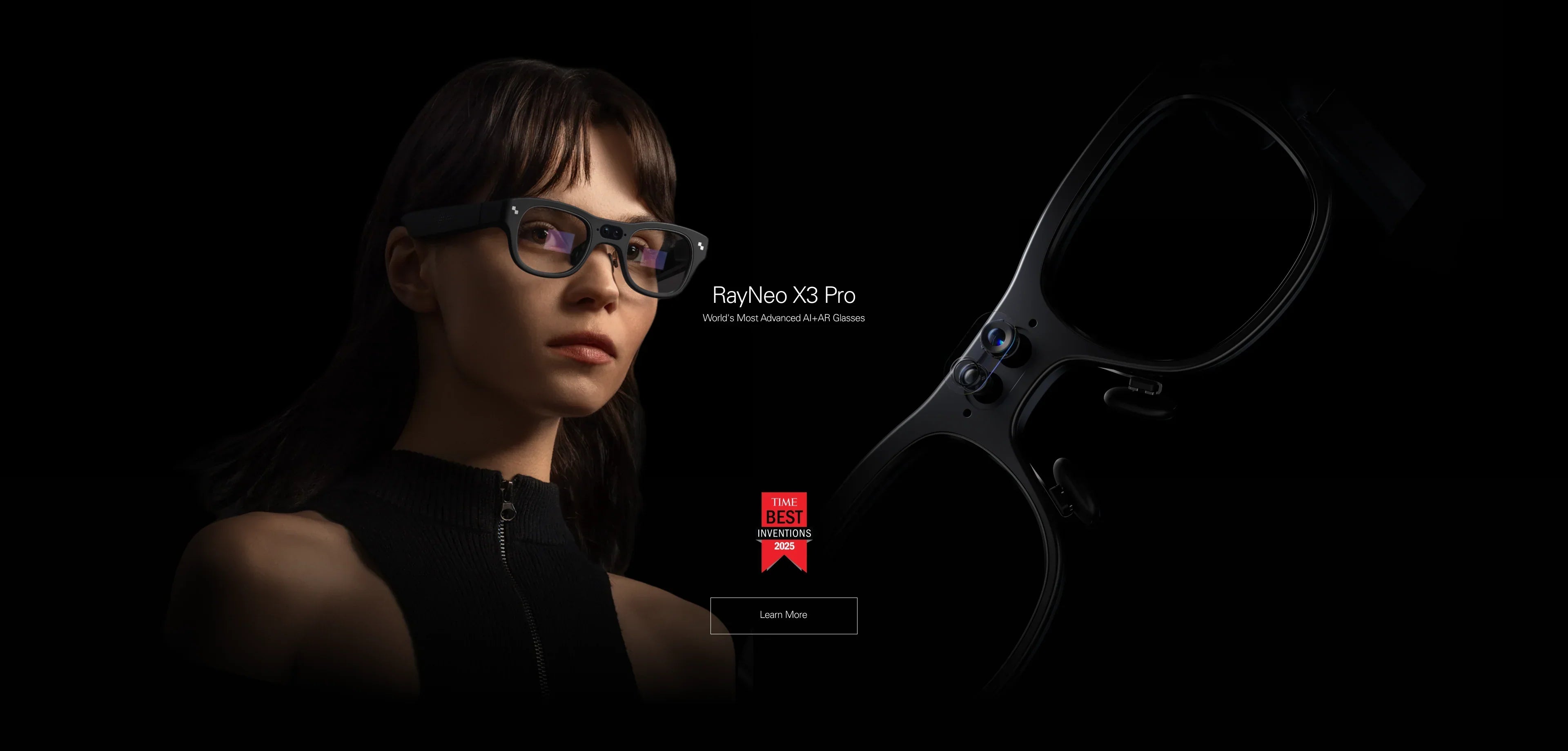
Best Native Bluetooth Support (RayNeo X3 Pro):
This is a standalone computer. It has its own Bluetooth 5.3 chip. You can connect it directly to your phone for data, or pair it directly with keyboards, mice, and earbuds. It acts as the "Master." -
Best Ecosystem Bluetooth Support (RayNeo Air 3s Pro):
This is a display. While it doesn't typically "have" Bluetooth inside the frame, it allows you to use your phone's Bluetooth for private audio (like AirPods) while watching a movie on its giant screen. It acts as part of the "System."
This comprehensive guide (approx. 20-minute read) will decode the technical jargon, explain which Bluetooth profiles matter for gaming vs. travel, and help you set up the perfect wireless rig.
1. The Landscape: Native vs. Host Bluetooth

To avoid buying the wrong device, you must distinguish between glasses that are a Bluetooth device, and glasses that work with Bluetooth devices.
Type A: Native Bluetooth (The "Master" Device)
Representative: RayNeo X3 Pro
-
How it works: The glasses have an internal Qualcomm processor and a dedicated Bluetooth radio. They act like a smartphone or a smartwatch. They can search for other devices and initiate connections.
-
Capabilities:
-
Data Tethering: Connects to your phone to pull notifications, calls, and GPS data via BLE (Bluetooth Low Energy).
-
Peripheral Pairing: You can connect a RayNeo Ring, a wireless keyboard, or even a game controller directly to the glasses without needing a phone.
-
Audio Streaming: Functions as a headset for calls and music using A2DP profiles.
-
Type B: Host Bluetooth (The "Passthrough" Experience)
Representative: RayNeo Air 3s Pro
-
How it works: These glasses connect via USB-C (wired). They do not usually have a Bluetooth chip inside. However, because they free up your hands and eyes, they rely heavily on your phone's Bluetooth connection.
-
Capabilities:
-
Audio Routing: You connect the glasses via wire for video, then connect your AirPods/Bose headphones to your phone via Bluetooth for audio. This creates a private cinema experience where the image is wired (lossless) and the audio is wireless.
-
Controller Input: You connect a PS5/Xbox controller to your phone via Bluetooth to play games on the glasses.
-
2. Fit Check: Which Wireless Setup Do You Need?
Bluetooth solves specific problems. Which one is yours? Let's check your use case.
Scenario 1: The "Secret Agent" (Calls & Notifications)
You want to take phone calls, hear directions, and see notifications without touching your phone.
-
Choose: RayNeo X3 Pro.
-
Why: It maintains a low-energy Bluetooth (BLE) link with your phone all day. When a call comes in, you tap the temple to answer. The audio plays through the directional speakers, and the caller ID floats in the HUD. It is a seamless, hands-free command center.
Scenario 2: The "Private Theater" (Movies on Plane)
You want to watch a movie on a huge screen, but you want to use your noise-canceling headphones (Sony/Bose/Apple) to block out engine noise.
-
Choose: RayNeo Air 3s Pro + Bluetooth Headphones.
-
Why: While the Air 3s Pro has decent built-in speakers, a plane is noisy. The "Pro" move is to plug the glasses into your phone for the visual feed, and pair your noise-canceling headphones to the phone for the audio feed. This completely isolates you from the environment.
Scenario 3: The "Mobile Office" (Productivity)
You want to write emails or code using a portable keyboard.
-
Choose: Either (with a caveat).
-
With X3 Pro: You can pair a folding Bluetooth keyboard directly to the glasses. You see the text you type in the HUD. It's ultra-minimalist.
-
With Air 3s Pro: You pair the keyboard to your phone (running Samsung DeX) or laptop. The glasses act as the monitor. This is generally better for long work sessions due to the larger, sharper screen.
3. Step-by-Step Setup: Mastering the Connection

Bluetooth can be finicky. Here is how to get a stable, low-latency connection for both device types.
Setting Up RayNeo X3 Pro (Native Connection)
This process connects your glasses to the digital world.
-
Initial Pairing (The Handshake):
-
Download the RayNeo App on your smartphone.
-
Hold the temple button to enter "Pairing Mode" (LED usually blinks blue).
-
Select the glasses in the App. This establishes the BLE (Data) link for notifications and AI.
-
-
Audio Pairing (A2DP):
-
Sometimes data and audio are separate channels. Go to your phone's main Bluetooth settings.
-
Look for "RayNeo X3 Pro Audio" and tap to connect. Now, YouTube/Spotify audio will route to the glasses' speakers.
-
-
Connecting Peripherals (Keyboard/Ring):
-
Go to "Settings" inside the glasses interface (using the temple touch controls).
-
Select "Bluetooth" -> "Add Device".
-
Put your keyboard/ring in pairing mode and select it from the HUD list.
-
Setting Up RayNeo Air 3s Pro (The Split-Stream)
The goal here is to send Video to the glasses and Audio to your headset.
-
Video Connection: Plug the Air 3s Pro into your phone via USB-C. Ensure the image appears.
-
Audio Connection: Put on your Bluetooth headphones (e.g., AirPods) and ensure they are connected to the phone.
-
Routing Fix (iOS):
-
Open Control Center.
-
Tap the AirPlay/Audio icon box (top right of the music widget).
-
You will see "RayNeo Air" and "AirPods". Select AirPods. Now you see the movie on the glasses, but hear it in the headphones.
-
-
Routing Fix (Android):
-
Go to Settings -> Sound -> Separate App Sound (Samsung) or Media Output.
-
Select your headphones as the primary output device while the USB-C video remains active.
-
4. Market Comparison: Bluetooth Capabilities
How do the leading glasses handle wireless tasks?
5. Deep Dive: Why "Bluetooth 5.3" Matters for X3 Pro
The RayNeo X3 Pro utilizes the latest Bluetooth standards to deliver features that older glasses simply cannot match. This isn't just about playing music.
1. Low Energy (BLE) for All-Day AI
The X3 Pro maintains a "heartbeat" connection to your phone using Bluetooth Low Energy. This allows it to receive notifications (WhatsApp, Slack, Email) instantly without draining your battery. Older glasses used standard Bluetooth Classic, which killed phone battery life in 3-4 hours. With X3 Pro, the impact is negligible.
2. The "Ring" Ecosystem
One of the coolest features of the X3 Pro is its support for the RayNeo Ring (a Bluetooth controller). Because the glasses act as a Bluetooth Host, you can use the ring to scroll through menus, click items, or navigate maps discreetly with your hand in your pocket. This is only possible because the glasses have a full Bluetooth stack.
3. Multi-Point Potential
Modern Bluetooth standards allow for more robust connections. The X3 Pro can handle the data stream for real-time AI translation (sending voice to phone, receiving text back) while simultaneously maintaining a connection to a controller. This bandwidth management is what makes the experience smooth.
6. Realistic Limitations & Transparency
Bluetooth is convenient, but it has physics limitations. Here is the honest truth about going wireless.
1. No Video over Bluetooth
The Reality: You cannot watch HD movies wirelessly on any current smart glasses using standard Bluetooth. The bandwidth is too low for 1080p/120Hz video.
The Implication: This is why the RayNeo Air 3s Pro uses a cable. To get the 201-inch OLED visuals, you need a wired connection. Do not buy a Bluetooth transmitter expecting to cast video to your glasses; it won't work.
2. Audio Lag (Gaming)
The Reality: If you use the Air 3s Pro for gaming (video via cable) and Bluetooth headphones for audio, you might notice a split-second delay between the gunshot on screen and the sound in your ear. This is Bluetooth latency.
The Fix: Use the Air 3s Pro's built-in speakers (which are wired via USB-C and have zero lag) for competitive gaming, or use wired headphones connected to the Steam Deck/Controller.
3. Interference
The Reality: In crowded areas (airports, subways), Bluetooth connections can stutter due to spectrum congestion.
The Advice: If the X3 Pro audio cuts out, try keeping your phone in a front pocket rather than a backpack to reduce body blocking.
7. FAQ: Expert Connectivity Advice
Q: Can I pair two pairs of headphones to the glasses?
A: Generally, no. The Air 3s Pro relies on your phone; some Samsung phones support "Dual Audio" to stream to two headsets simultaneously, but this is a phone feature, not a glasses feature. The X3 Pro typically connects to one audio device at a time.
Q: Do I need a specific app to use Bluetooth?
A: For the RayNeo X3 Pro, yes. You need the RayNeo App to establish the initial secure handshake and manage Wi-Fi/AI settings. Once paired, standard audio (A2DP) often works without the app open, but AI features require the app background process.
Q: Which glasses are better for phone calls?
A: The RayNeo X3 Pro. It has an array of microphones designed specifically for voice commands and calls, positioned near your mouth. The built-in AI noise cancellation helps clarify your voice even in windy conditions.
8. Next Steps: Choose Your Connection
Ready to cut the cord (or manage it better)? Choose the setup that fits your workflow.
Action 1: For the Wireless Minimalist
If you want a standalone device that connects to your phone for data and calls:
→ Shop RayNeo X3 Pro (Native Bluetooth)
Action 2: For the Audiophile & Gamer
If you want to use high-end Bluetooth headphones while watching a giant screen:
→ Shop RayNeo Air 3s Pro (Ecosystem Friendly)
Action 3: Verify Compatibility
Check if your phone supports the RayNeo App or USB-C Video.
Share:
Which Smart Glasses Offer the Best Value for Money? The 2026 Buyer’s Guide
What Are Good AI Smart Glasses? The 2026 Selection Guide