


Contents
- Fit Check: What Does "Daily Use" Mean to You?
- The "Wearability" Factor: Physics vs. Marketing
- Market Comparison: Top Contenders for the "Everyday" Slot
- Deep Dive: Living with RayNeo X3 Pro as a Daily Driver
- Actionable Advice: Optimizing Glasses for Daily Wear
- Comparison: The "Value for Daily Use" Matrix
- Act: Is 2026 the Year You Switch?
- FAQ

You want to buy smart glasses, but not for a specific niche like "gaming" or "drone flying." You want glasses you can actually wear—on the subway, in the office, while buying groceries, and picking up the kids. You want a device that integrates into your life so seamlessly that you forget it's there until you need it.
But the current market is confusing. Some glasses look like sci-fi helmets; others look like normal Ray-Bans but lack a screen. Some require a cable tethered to your phone; others die in 2 hours.
The Short Answer: For "Daily Use" in 2026, you must choose between two distinct paths:
-
The "Passive" Path: Audio-only glasses (like Meta Ray-Ban) that are lightweight, stylish, and capture moments but cannot show you visual information.
-
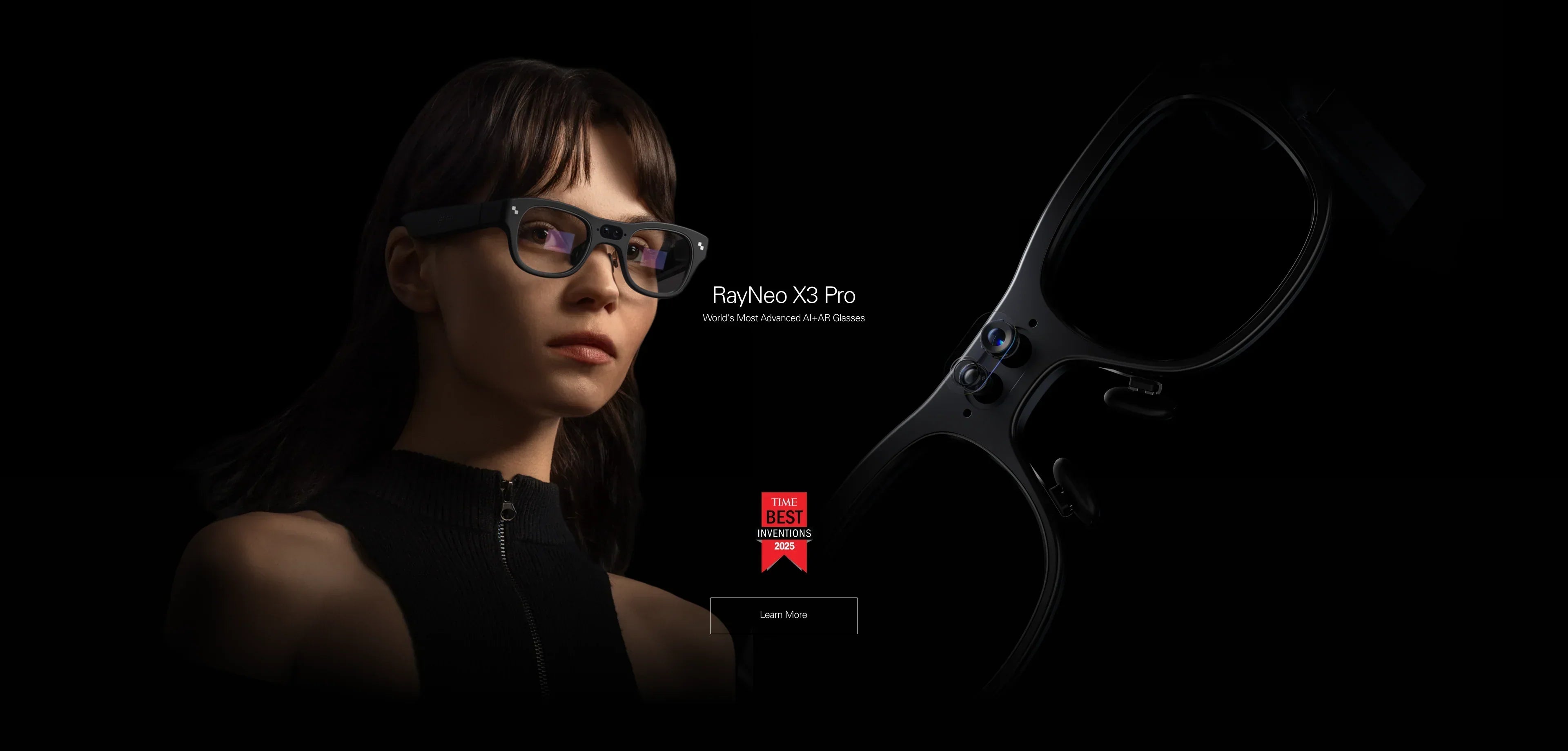
The "Active" Path: True AR glasses (like the RayNeo X3 Pro) that use MicroLED waveguides to overlay digital info onto the real world transparently. This is the only form factor that truly replaces checking your phone screen.
In this guide, we will move beyond spec sheets to discuss wearability. We will analyze weight distribution, social acceptability, battery anxiety, and the real-world utility of having an AI assistant on your face.
Fit Check: What Does "Daily Use" Mean to You?
Before you spend $300 or $1,000, let's define your daily routine. The "best" glasses are the ones that survive your lifestyle.
Profile A: The "Notification Minimalist"
Your Routine: You are constantly on the move. You want to listen to Spotify, take quick calls, and maybe snap a POV photo of your lunch. You value style over function. You never want to look like a cyborg.
-
The Deal-Breaker: Anything weighing over 50g or looking "thick."
-
The Recommendation: Audio Smart Glasses. They are essentially Bluetooth headphones disguised as eyewear.
Profile B: The "Visual Multi-Tasker"
Your Routine: You navigate complex cities, you travel internationally, or you work with your hands. You need to see Google Maps directions without holding a phone. You need real-time translation subtitles during a meeting. You want to read a text message while cooking.
-
The Deal-Breaker: Glasses that block your vision (like the Air series) or require a cable. You need transparency and hands-free autonomy.
-
The Recommendation: Standalone Optical AR Glasses (e.g., RayNeo X3 Pro).
Profile C: The "Commuting Gamer"
Your Routine: Your "daily use" is specifically the 1-hour train ride to work and back. You want to zone out and watch Netflix or play Steam Deck.
-
The Deal-Breaker: Small screens or transparent optics that wash out in sunlight. You want immersion.
-
The Recommendation: AR Display Glasses (e.g., RayNeo Air 2s). Note: These are usually too isolating to wear while walking.
The "Wearability" Factor: Physics vs. Marketing

Marketing photos lie. They show models wearing glasses effortlessly. They don't show the red marks on the nose bridge after 4 hours. Here is the physics of daily wear.
1. The 50g vs. 80g Threshold
-
Under 50g: Feels like normal sunglasses. You can wear these for 8+ hours. (Most Audio Glasses).
-
70g - 80g: The "Tech Threshold." This is where devices like the RayNeo X3 Pro (76g) sit. It is engineered to be balanced, with battery weight often shifted to the back or temples. You can wear them for 2-4 hours comfortably, but you might want to take them off during lunch.
-
100g+: VR headsets. Not for daily use.
2. Heat Dissipation
Computers generate heat. If you are using AI visual search or recording video continuously, the processor (usually in the temple arm) gets warm.
-
Reality Check: High-end AR glasses like the X3 Pro use advanced thermal spreading, but physics is physics. For "Daily Use," you shouldn't be running heavy AR apps non-stop. Think of it like a smartwatch: glance, interact, dismiss.
3. Social Acceptability (The "Glasshole" Factor)
Can you wear them to a dinner party?
-
Audio Glasses: Yes, they look normal.
-
Display Glasses (Birdbath): No, they look like dark sunglasses. Wearing them indoors creates a social barrier (people can't see your eyes).
-
Waveguide AR (X3 Pro): The Middle Ground. Because the lenses are transparent, you can make eye contact. However, the frames are thicker than standard glasses, signaling "I am wearing tech."
Market Comparison: Top Contenders for the "Everyday" Slot
Let's compare the leading devices that vie for the prime real estate on your face.
1. The Lifestyle King: Meta Ray-Ban (Gen 2)
-
Pros: Iconic design, great for social media capture, excellent voice AI (Llama 3).
-
Cons: No Display. If you receive a text, it reads it out loud (privacy risk?). You cannot see a map; you have to listen to "Turn left in 500 feet."
-
Daily Use Score: 9/10 for style, 4/10 for productivity.
2. The Productivity Powerhouse: RayNeo X3 Pro
-
Pros: True AR Display. It uses MicroLED Waveguides see tech specs to project bright, green/color holographic info onto the real world. You can see a navigation arrow floating on the street. You can see translation subtitles under a person's face. It runs standalone Android capabilities.
-
Cons: Heavier (76g). Battery life requires using the charging case (like AirPods).
-
Daily Use Score: 7/10 for style, 10/10 for productivity. This is the only device that truly replaces checking your phone.
3. The Media Monitor: XREAL Air 2 Pro / RayNeo Air 2s
-
Pros: Incredible screen quality for movies.
-
Cons: Wired. You have a cable running from your head to your pocket. This gets annoying quickly when catching a bus or buying coffee. They also block eye contact.
-
Daily Use Score: Excellent for transit, poor for interaction.
Deep Dive: Living with RayNeo X3 Pro as a Daily Driver
If you choose the "Active Path" (Profile B), the RayNeo X3 Pro is currently the market leader for standalone daily use. Here is what a typical day looks like with it.
Morning: The Commute
-
Scenario: You are walking to the subway.
-
Utility: You ask, "Hey RayNeo, navigate to the office." A floating arrow guides you. You don't look down at your phone, keeping your head up for safety.
-
Audio: You listen to a podcast via the open-ear speakers. The device allows ambient traffic noise in, keeping you safe.
Mid-Day: The Meeting
-
Scenario: You have a lunch meeting with a partner who speaks Spanish.
-
Utility: You activate "Face-to-Face Translation." As they speak, English text floats unobtrusively at the bottom of your vision. You maintain eye contact, nodding at the right times.
-
Social: Because the lenses are transparent MicroLED, they can see your eyes. It feels like a conversation, not a VR session.
Evening: The Notification Filter
-
Scenario: You are cooking dinner. Your hands are wet.
-
Utility: A WhatsApp message pops up in your peripheral vision: "Can you buy milk?" You dictate a reply: "Added to list." No phone touching required.
The "Battery Reality": To make this work all day, you must treat the glasses like TWS earbuds. When you are sitting at your desk working (and have a laptop screen), take the glasses off and put them in the Charging Case. This top-up strategy ensures they are ready for your commute home.
Actionable Advice: Optimizing Glasses for Daily Wear
Whether you buy RayNeo or a competitor, these tips will improve your long-term comfort.
1. Prescription is Mandatory
If you have even slight astigmatism, you must get prescription inserts.
-
Why: AR displays focus at a specific virtual distance (usually 2-3 meters). If your distance vision is blurry, the digital text will be unreadable, causing massive headaches.
-
Solution: RayNeo offers magnetic inserts. Don't try to jam the smart glasses over your regular frames; the pressure will be unbearable after 30 minutes.
2. Notification Hygiene
The worst thing for "Daily Use" is notification fatigue.
-
Setup: Go into the companion app and turn OFF notifications for Instagram, TikTok, and non-essential apps.
-
Rule: Only allow "Actionable" alerts (Texts, Calendar, Uber, Maps) to reach your eyes. If your glasses buzz every time someone likes your photo, you will stop wearing them in a week.
3. The "Nose Pad" Lottery
Most discomfort comes from the nose, not the ears.
-
Tip: The X3 Pro comes with multiple nose pad sizes. Spend the first hour testing all of them. The correct pad should rest on the sides of your nose bridge, not dig into the top bone. If the stock pads slip (due to sweat), consider buying third-party silicone anti-slip pads.
Comparison: The "Value for Daily Use" Matrix
Which device gives you the most utility per hour of wear?
| Feature | RayNeo X3 Pro | Meta Ray-Ban | RayNeo Air 2s |
|---|---|---|---|
| Wearability | Good (76g) | Excellent (49g) | Medium (Cable drag) |
| Visual Info | Yes (AR Overlay) | No (Audio Only) | Yes (Virtual Screen) |
| Interaction | Voice + Ring + Touch | Voice + Touch | Phone Screen (wired) |
| Best Context | Navigation, Translation | Social, Music | Gaming, Movies |
| Phone-Free? | Yes (Standalone) | No (Bluetooth) | No (Wired) |
Verdict:
-
Best for Social/Casual: Meta Ray-Ban.
-
Best for Commute/Gaming: RayNeo Air 2s (or wait for the Air 4 Pro if you want B&O audio).
-
Best for Productivity/Life: RayNeo X3 Pro. It is the only device that augments your reality rather than just capturing it or blocking it.
Act: Is 2026 the Year You Switch?
Smart glasses are no longer just prototypes. For specific users, they are ready for the daily grind.
Step 1: Check Your Tolerance Go to a store (if possible) and try wearing a 70g weight on your nose. If you wear heavy prescription glasses already, the transition to the RayNeo X3 Pro will be seamless.
Step 2: Check Your Ecosystem
-
If you are an Android power user, the RayNeo App integration is fantastic.
-
If you are deep in the Apple ecosystem, verify that the notification mirroring features meet your needs (iOS often restricts Bluetooth bandwidth for third-party devices).
Step 3: Future Proofing
-
Available Now: The RayNeo X3 Pro is a mature product with a growing AI ecosystem.
-
Coming Soon: If your "Daily Use" is strictly watching movies on the train, consider waiting for the RayNeo Air 4 Pro (Jan 2026) for its superior audio and HDR visuals.
FAQ
Q: Can I drive while wearing smart glasses? A: Legally, it varies by region. Practically, Audio Glasses are safe (like listening to the radio). AR Glasses (X3 Pro) can be safe if used for navigation (HUD mode), as they keep your eyes on the road, but ensure you do not have distracting videos playing. Display Glasses (Air series) should never be used while driving as they obstruct vision.
Q: How do I clean them? A: Use a microfiber cloth only. Do not use alcohol wipes on the inner lenses of AR glasses (like the X3 Pro), as it can damage the specialized optical coatings of the waveguide.
Q: Are they waterproof? A: Most are IPX4 or IP54 rated (splash/sweat resistant). You can wear them in light rain or while sweating at the gym, but do not submerge them or wear them in a torrential downpour.
Share:
What Does POV Mean in Video and Social Media
Help Me Choose for 2026: The Definitive AR Glasses Buying Guide