


Contents
- Fit Check: Identifying Your "Glass Persona"
- The Tech Landscape: Optics 101
- Category Breakdown: Understanding Your Options
- The "Hidden Friction": What to Watch Out For
- Comparison Matrix: 2026 Options at a Glance
- Limitations & Setting Realistic Expectations
- Act: Making Your Decision
- FAQ

If you are reading this, you have likely decided that 2026 is the year you finally put a computer on your face. But looking at the market, "confusion" is an understatement.
You see sleek sunglasses that take photos but have no screen. You see wired glasses that act like giant monitors. You see bulky standalone headsets that promise the future but look like ski goggles. The terms—XR, AR, MR, Birdbath, Waveguide—are thrown around interchangeably, making it nearly impossible to know what you are actually buying.
The Short Answer: There is no "One Glass to Rule Them All" yet. In 2026, the market has split into three distinct categories, each solving a different problem:
-
The "Second Screen" (Display Glasses): Best for gamers and travelers who want a private cinema.
-
The "AI Assistant" (Standalone AR): Best for professionals who need hands-free translation, navigation, and notifications.
-
The "Social Camera" (Audio Glasses): Best for content creators who want to capture moments without a phone.
This guide will act as your roadmap. We will strip away the hype, explain the physics behind the optics, and help you match your lifestyle to the correct form factor.
Fit Check: Identifying Your "Glass Persona"
Before you look at specs, look at your daily routine. Which of these friction points do you hate the most?
Persona A: The "Cramped Commuter"
Your Pain Point: You spend hours on trains, planes, or in small apartments. You want to play Elden Ring or watch Dune, but your phone screen is too small, and a TV won't fit in your bag.
-
You Need: Display Glasses (XR).
-
Priority: Screen clarity (PPD), sound quality, and comfort for lying down.
-
The Trade-off: You are okay with being tethered by a cable to your phone or console.
Persona B: The "Global Operator"
Your Pain Point: You travel for business, navigate foreign cities, or work with your hands. Pulling out your phone to check Google Maps or Google Translate breaks your flow.
-
You Need: Standalone AR Glasses.
-
Priority: Hands-free autonomy, outdoor visibility, and AI intelligence.
-
The Trade-off: You accept a slightly thicker frame and a higher price tag for the onboard computer.
Persona C: The "Digital Minimalist"
Your Pain Point: You want to disconnect from your screen but stay connected to your notifications and music.
-
You Need: Audio/Notification Glasses.
-
Priority: Invisibility and weight (under 50g).
-
The Trade-off: You accept having no visual display at all.
The Tech Landscape: Optics 101

To choose wisely, you must understand the two dominant optical technologies fighting for your eyes in 2026.
Technology 1: Birdbath Optics (The "Cinema" Approach)
-
Used in: Most video-focused glasses (e.g., RayNeo Air Series, XREAL Air).
-
How it works: A Micro-OLED screen sits at the top of the frame and reflects down into a curved lens (the birdbath) into your eye.
-
The Experience: It looks like you are sitting in a dark movie theater looking at a 201-inch screen. The image is incredibly sharp (1080p per eye) and vibrant.
-
The Limitation: It is physically thicker. The lenses are usually tinted dark (like sunglasses) to block out light so you can see the screen. It is not meant for walking around; it is for sitting down.
Technology 2: Optical Waveguides (The "Hololens" Approach)
-
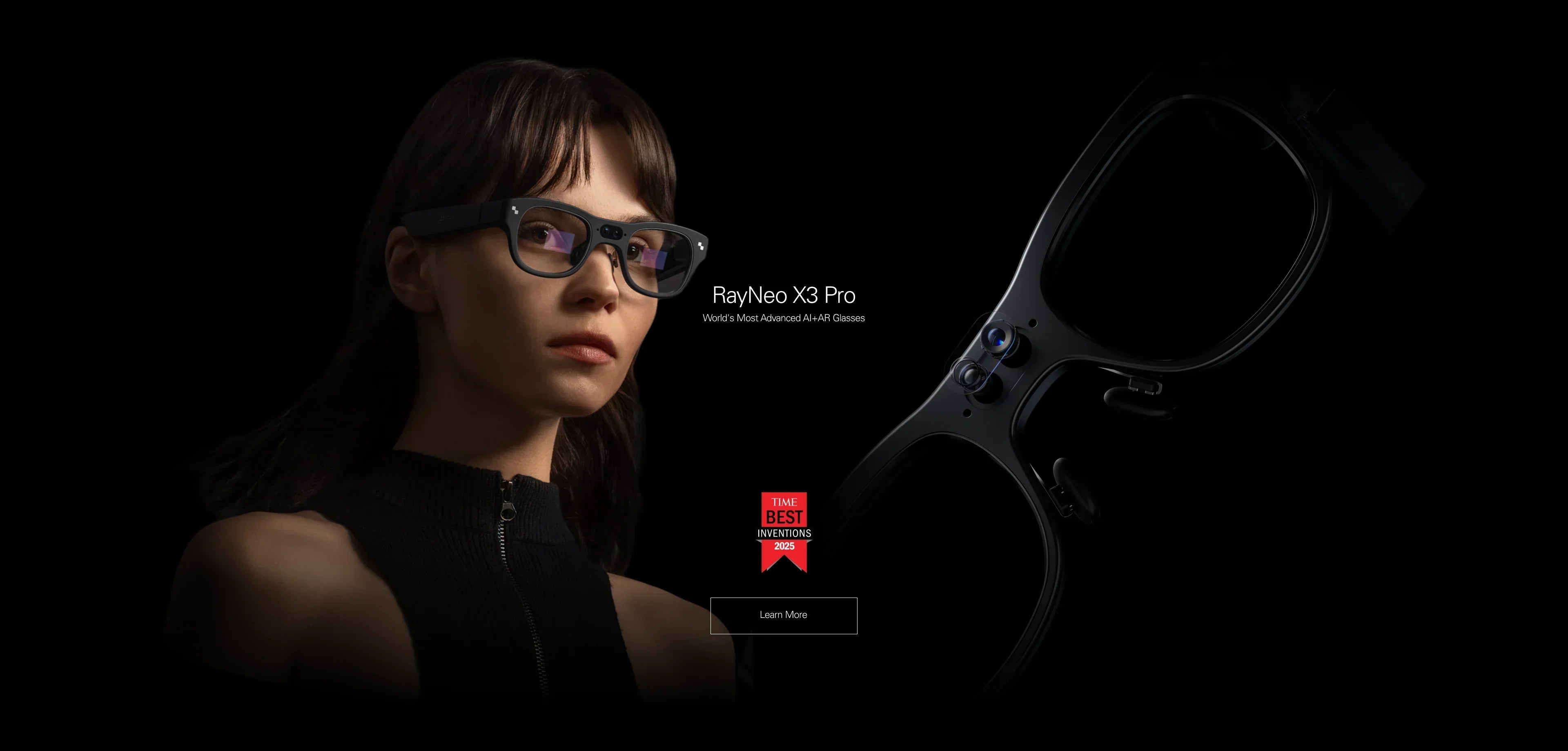
Used in: Standalone AR glasses (e.g., RayNeo X3 Pro, Vuzix).
-
How it works: Light is pumped through a microscopically etched glass lens.
-
The Experience: The lens is transparent, like normal eyeglasses. Digital information (green arrows, white text) floats holographically in the real world.
-
The Benefit: You can make eye contact. You can walk safely. It is true "Augmented Reality."
-
The Limitation: The Field of View (FOV) is typically narrower (25-35 degrees) compared to Birdbath (45+ degrees). It is optimized for information, not immersive movies.
Category Breakdown: Understanding Your Options
Let's evaluate the mature categories available in 2026 based on their core value proposition and typical performance metrics.
Category Profile: The Portable Cinema (Display Glasses)
If your goal is entertainment, this is the most mature and accessible category.
-
The Core Value: These devices act as a plug-and-play monitor. They typically use Sony Micro-OLED panels to deliver pixel density so high that the "screen door effect" is invisible.
-
The Standard: Expect 1080p per eye, 120Hz refresh rates for gaming, and direct USB-C connectivity.
-
Market Examples: This category is populated by devices like the RayNeo Air 2s, which is often cited for its balance of price and performance. For users seeking higher-end audio, upcoming models like the RayNeo Air 4 Pro aim to set a new standard with partnerships like Bang & Olufsen and HDR10 support.
Verdict: Choose this category if you want to upgrade your Switch or Steam Deck experience.
Category Profile: The AI Computer (Standalone AR)
If your goal is productivity and AI, you need a computer, not just a screen.
-
The Core Value: Independence. Unlike display glasses, these units have their own onboard processor (often Snapdragon) and battery. They run an OS (usually Android-based), allowing you to leave your phone in your pocket.
-
The Capability: They are built for the LLM era. Features like "AI Visual Search" (look at a menu, get a translation) and "Live Captioning" happen directly on the device.
-
Market Examples: The RayNeo X3 Pro is a prominent example of this architecture, utilizing MicroLED waveguides to achieve the brightness (1500+ nits) required for outdoor use.
Verdict: Choose this category if you are a traveler, developer, or early adopter who wants the "Iron Man" HUD experience.
Category Profile: The Social Capture (Audio Glasses)
If your goal is social media and audio.
-
The Core Value: Simplicity and style. They lack a visual display entirely, focusing instead on capturing POV video and playing audio via open-ear speakers.
-
The Standard: Lightweight (under 50g) and indistinguishable from regular sunglasses.
-
Market Examples: The Meta Ray-Ban series currently defines this category.
Verdict: Choose this category if you prioritize fashion and social sharing over information utility.
The "Hidden Friction": What to Watch Out For
As neutral consultants, we must highlight the friction points that marketing materials often hide.
1. The "Wired" Reality
For Display Glasses (Air series), you are tethered.
-
The Issue: The cable can snag. It drains your phone battery.
-
The Fix: You essentially need an adapter like the JoyDock or a battery-powered hub if you plan to play for more than 2 hours. Factor this accessory cost ($50-$90) into your budget.
2. The "Face Fit" Lottery
Optics require alignment. If your eyes are not centered in the lens "sweet spot," the edges of the screen will look blurry.
-
The Fix: Look for glasses with adjustable mechanics. Devices like the RayNeo Air 2s feature multi-point adjustment systems (temples tilt up/down/in/out, nose pads adjustable) to mitigate this. Avoid cheap generic brands with fixed plastic frames; they likely won't fit you.
3. Prescription Lenses
You cannot wear most AR glasses over your regular glasses (it's uncomfortable and ruins the image).
-
The Fix: You must use Magnetic Prescription Inserts. Most major brands include a template in the box. You take this to a local optician or order lenses online. This is an extra step and cost ($30-$100) to consider.
Comparison Matrix: 2026 Options at a Glance
Limitations & Setting Realistic Expectations
Before making a purchase, it is vital to understand the technological boundaries of current eyewear.
For Display Glasses (Portable Cinema)
-
Virtual Screen Perception: The "201-inch screen" claim refers to the perceived size relative to distance (like sitting in a middle row of a theater). It does not fill your entire peripheral vision; it floats in front of you.
-
Environment Dependency: While Micro-OLEDs are bright, they struggle in direct sunlight. To get the best contrast for movies, you will need to use the included light blockers or wear them indoors.
For Standalone AR (AI Assistant)
-
Battery Life: Driving a processor, camera, and display on your face consumes power. Expect 3-4 hours of heavy active use (like continuous translation). These are not yet "all-day" devices without a charging case.
-
Waveguide Artifacts: Transparent displays rely on diffractive physics. You may occasionally see "rainbow" artifacts or a slight glow around bright text in high-contrast scenes.
-
AI Accuracy: Translation and visual search rely on cloud connectivity. Latency and accuracy depend on your network signal.
General Wearability
-
Comfort is Subjective: Even the lightest 76g glasses are heavier than standard 30g spectacles. Nose fatigue can occur after extended sessions.
-
Social Acceptance: While designs are improving, AR glasses (especially with cameras) are still noticeable. Be prepared for questions or privacy concerns in public spaces.
Act: Making Your Decision
The "Best" glass is the one you actually wear. Here is our final recommendation based on your timeline and budget.
Scenario 1: You want it NOW, and you want to game.
-
Buy: RayNeo Air 2s. It is the current value king. It works flawlessly with Steam Deck and iPhone 15, has great sound, and the price is mature.
-
Action: Check the Air 2s Bundle deals.
Scenario 2: You want the absolute best movie experience and can wait.
-
Wait: RayNeo Air 4 Pro (January 2026). The addition of Bang & Olufsen audio and HDR10 will make it the definitive "portable theater" for the next 2-3 years.
-
Action: Sign up for Air 4 Pro updates.
Scenario 3: You want to live in the future.
-
Buy: RayNeo X3 Pro. If you have the budget and the need for a true AI assistant that travels with you, this is the only device that delivers a wire-free, heads-up experience.
-
Action: Explore the X3 Pro features.
FAQ
Q: Can I watch 3D movies on these? A: Yes. The RayNeo Air series supports SBS (Side-by-Side) 3D. When connected to a compatible player or the Pocket TV, you can watch 3D Blu-ray rips or YouTube 3D content with theater-like depth.
Q: Do I need a specific phone? A: For the Air series (Display glasses), your phone must support "DisplayPort over USB-C" (DP Alt Mode). Most modern Android flagships (Samsung S series) and iPhone 15/16 support this. The Pixel series and older iPhones require adapters. For the X3 Pro (Standalone), any smartphone works for the initial setup via the app.
Q: Are they safe for my eyes? A: Generally, yes. Premium Micro-OLED panels emit significantly less blue light than standard LCD screens. RayNeo glasses are TÜV Rheinland certified for eye comfort and low blue light. Furthermore, the virtual image is focused at a distance of 4 meters, which relaxes the eye muscles compared to staring at a phone 6 inches from your face.
Share:
Which Smart Glasses Would You Recommend for Daily Use? The 2026 Reality Check
Smart Glasses with Full-Color Display: The 2026 Visual Guide