


Contents
- Fit Check: Mapping Your Needs to Technology
- The Tech: The Evolution from "Green" to "RGB"
- The Reality of "Full-Color": Universal Limitations
- Deep Dive: The Full-Color AR Experience (MicroLED)
- Deep Dive: The Full-Color Video Experience (Micro-OLED)
- Market Comparison: Display Architecture Analysis
- Act: A Decision Framework for Color
- FAQ

For years, "Augmented Reality" glasses came with a significant caveat: they were often monochrome. Users would put on a futuristic headset only to see a world of bright green text, reminiscent of early computing terminals. While functional for basic notifications, this limitation broke the immersion for many. The real world is full color; digital overlays aim to match that fidelity.
You are likely here because you are looking for Smart Glasses with Full-Color Displays—devices capable of projecting maps, photos, and interfaces that attempt to blend seamlessly with reality.
The Short Answer: In 2026, "Full Color" in smart glasses is not a single category. It consists of two distinct technological paths, each serving a different purpose based on optical physics:
-
Path A: Full-Color Video (Micro-OLED): This technology creates a virtual screen that blocks or heavily tints the real world. It prioritizes color saturation and contrast for media consumption.
-
Path B: Full-Color AR (MicroLED): This emerging technology uses advanced waveguides to project transparent, holographic color images into the real world. It prioritizes transparency and information overlay.
In this guide, we will explain the physics behind these two approaches, the inherent trade-offs of adding color to eyewear, and how to choose the right technology for your needs.
Fit Check: Mapping Your Needs to Technology
Before looking at specific brands, you need to determine which optical architecture solves your problem.
Type A: The "Cinema" Seeker
Your Goal: You want to watch movies, play video games, or edit photos on the go.
-
The Need: Color Fidelity & Contrast. You require deep blacks (for contrast) and rich, saturated RGB spectrums (for accuracy).
-
The Technology Path: Micro-OLED Display Glasses. These devices act as wearable monitors. Because they often use "Birdbath" optics, they are thicker and less transparent, essentially placing a high-quality TV in front of your eyes.
-
Market Examples: Devices in this category include the RayNeo Air 2s and XREAL Air 2 Pro.
Type B: The "Augmented Reality" Seeker
Your Goal: You want to see navigation arrows color-coded for traffic, or view photo messages floating in your peripheral vision while walking.
-
The Need: Transparency & Brightness. You need the digital content to be visible against bright backgrounds (like a blue sky) without blocking your view of the sidewalk.
-
The Technology Path: Full-Color MicroLED Waveguides. This technology is designed to balance RGB output with high transparency (often 85%+), allowing for safe movement while viewing content.
-
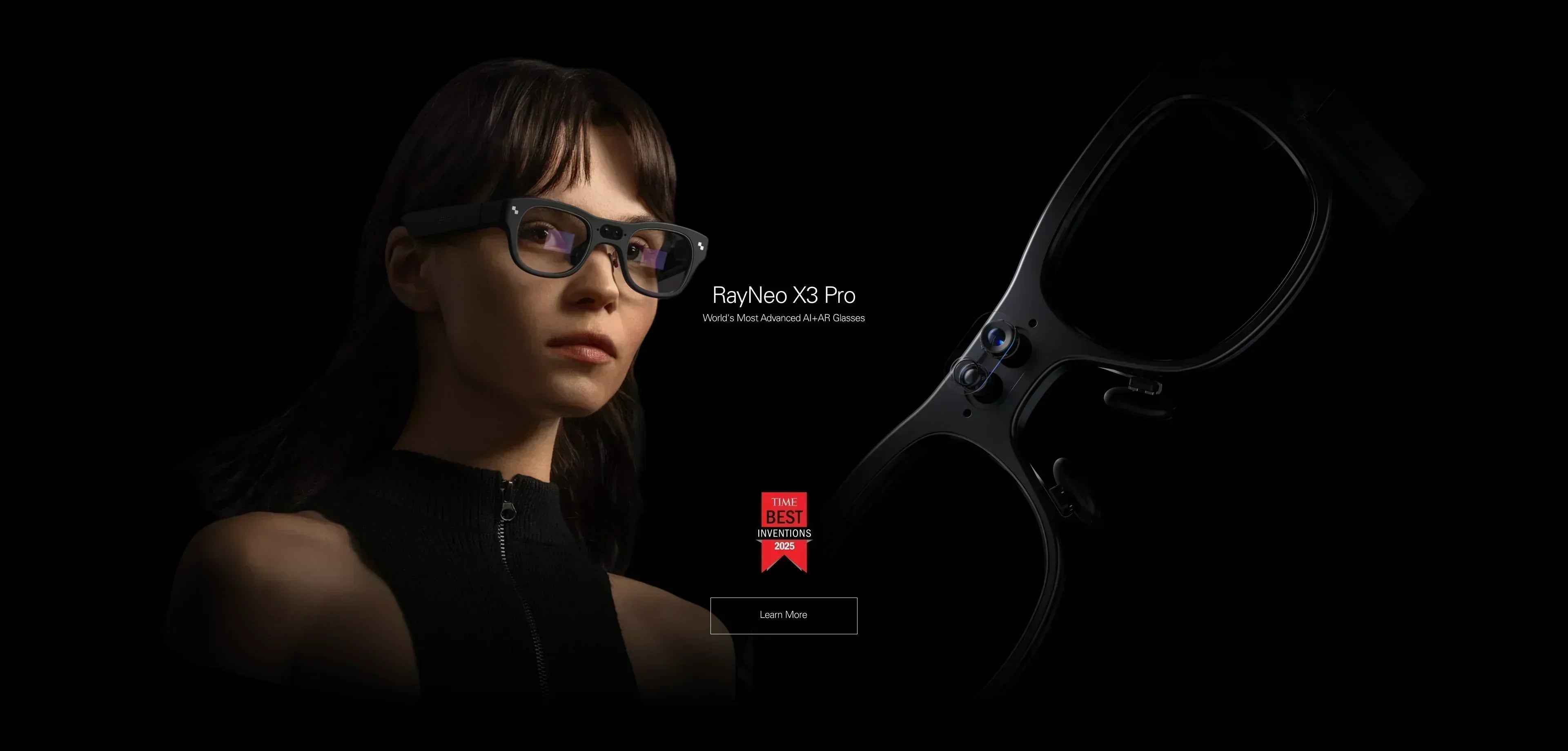
Market Examples: The RayNeo X3 Pro is a representative device in this standalone AR category.
The Tech: The Evolution from "Green" to "RGB"

To understand the current market landscape, it helps to understand the engineering challenge of color AR.
The Monochrome Era
For the last decade, many lightweight AR glasses relied on Monochrome MicroLEDs (usually green).
-
The Reason: Green light is the most efficient to produce and the easiest for the human eye to perceive at low power.
-
The Result: High brightness and battery life, but a "retro" visual experience.
The "RGB" Development

Creating a full-color image on a transparent lens requires combining Red, Green, and Blue light sources into a microscopic engine.
-
The Challenge: Red MicroLEDs have historically been less efficient than blue or green. Balancing them to create a calibrated "White" or specific colors while maintaining the brightness required to compete with sunlight (nits) has been a significant hurdle.
-
Current State: Recent developments, such as Binocular Full-Color MicroLED Optical Waveguides, have begun to solve this. Devices utilizing this tech can now render color interfaces that are usable outdoors, though cost and thermal management remain key considerations.
The Reality of "Full-Color": Universal Limitations
Regardless of the device you choose, moving to a full-color display introduces specific physical constraints that users should be aware of.
1. The "Ghosting" of Transparent Color
In AR (MicroLED) devices, you are projecting light onto light. You cannot project "black" (black is just the absence of light).
-
The Consequence: Dark colors in a digital image will appear transparent. A black cat projected onto a white wall will look like a ghost. Colors may appear less saturated in bright sunlight compared to indoor environments.
2. Power Consumption & Heat
Driving three color channels (Red, Green, Blue) consumes significantly more power than driving a single color.
-
The Consequence: Full-color standalone glasses often have shorter battery lives (typically 3-4 hours of active display use) compared to monochrome counterparts or audio-only glasses. Thermal management is also critical; these devices may feel warm on the temple during extended heavy use.
3. Cost Premiums
Full-color MicroLED manufacturing yields are lower than standard OLED or LCOS.
-
The Consequence: Devices in the "Full-Color AR" category often command a premium price point ($800+), whereas "Full-Color Video" glasses (Micro-OLED) have matured into a mid-range price bracket ($300-$450).
Deep Dive: The Full-Color AR Experience (MicroLED)
For users exploring the "Augmented Reality" path (Type B), devices like the RayNeo X3 Pro illustrate the current capabilities of this technology.
The Visual Experience:
-
Navigation: Interfaces can use standard color coding (e.g., Blue for route, Red for traffic delays), which reduces the cognitive load required to interpret monochrome maps.
-
AI Interaction: Visual search results can include color images or color-coded highlights (e.g., outlining an object in purple), adding a layer of context unavailable in text-only displays.
Suitability:
-
This path is optimized for Information Density and Mobility. It allows the user to walk, interact, and work while referencing digital data.
Deep Dive: The Full-Color Video Experience (Micro-OLED)
For users exploring the "Cinema" path (Type A), devices like the RayNeo Air 2s illustrate the maturity of this technology.
The Visual Experience:
-
Color Accuracy: Utilizing Sony Micro-OLED panels allows these devices to achieve high color gamut coverage (often exceeding 100% sRGB).
-
Contrast: Unlike AR waveguides, OLED pixels can turn off completely to create "True Black." This provides the contrast ratio necessary for watching HDR content or playing dark, atmospheric video games.
Suitability:
-
This path is optimized for Entertainment and Stationary Productivity. It is best used when seated (trains, planes, desks) rather than while moving.
Market Comparison: Display Architecture Analysis
Act: A Decision Framework for Color
To choose the right device, align your requirements with the technical limitations described above.
If you require a "Futuristic Heads-Up Display":
-
Focus your research on: Full-Color MicroLED Waveguide devices.
-
Key Specs to Validate: Check the brightness rating (nits) for outdoor visibility and the Field of View (FOV).
-
Current Options: Investigate standalone units like the RayNeo X3 Pro to see if the standalone Android ecosystem fits your workflow. You can view the full tech specs to understand how MicroLED handles outdoor brightness.
If you require a "Pocket Cinema":
-
Focus your research on: Micro-OLED display glasses.
-
Key Specs to Validate: Check the PPD (Pixels Per Degree) for clarity and the color gamut (sRGB/DCI-P3) for accuracy.
-
Current Options: Compare models like the RayNeo Air 2s or the upcoming RayNeo Air 4 Pro (noted for HDR10 support) to determine which offers the best ergonomic fit for your face. Check device compatibility to ensure your phone supports the high-bandwidth video signal needed for full color.
If budget is the primary constraint:
-
Advisory: Be cautious with low-cost "AR" glasses. They often revert to LCOS or monochrome displays to save costs. If full color is a non-negotiable requirement, it is often better to wait or invest in the mid-range Micro-OLED category. You can explore RayNeo's Air Series collection for mid-range options.
FAQ
Q: Is full-color AR visible in sunlight? A: Generally, yes, if the device uses MicroLED technology. The high brightness output (often 1000+ nits) allows the color overlay to compete with ambient daylight. However, contrast will always be lower outdoors than indoors.
Q: Does full-color drain battery faster? A: Yes. Producing white light (which requires Red, Green, and Blue pixels to be active simultaneously) consumes more energy than displaying a single color (like green). Many AR operating systems utilize "Dark Mode" interfaces (where black pixels are off/transparent) to mitigate this power draw.
Q: Can I edit photos on smart glasses? A: On Micro-OLED Display Glasses (Cinema Path), yes. The color accuracy and contrast are often comparable to or better than standard laptop screens. On AR Waveguide Glasses (AR Path), no. The transparency of the lens and the nature of holographic projection make them unsuitable for color-critical work like color grading.
Share:
Help Me Choose for 2026: The Definitive AR Glasses Buying Guide
What Smart Glasses Are Good for Work? The 2026 Productivity Guide