
コンテンツへスキップ
  • Facebook
  • X (Twitter)
  • Instagram
  • YouTube
  • TikTok
  • X (Twitter)
  • X (Twitter)

X3 Pro:堂々登場。詳細はこちら>>

X3 Pro:堂々登場。詳細はこちら>>

  • 製品
  • 興味別に買い物をする
  • 探検する
  • サポート
  • 私たちについて
ログイン
  • Facebook
  • X (Twitter)
  • Instagram
  • YouTube
  • TikTok
  • X (Twitter)
  • X (Twitter)
検索
RayNeo.JPRayNeo official logo for augmented reality (AR) smart glassesRayNeo official logo for augmented reality (AR) smart glasses
  • 製品
  • 興味別に買い物をする
  • 探検する
    • ブログ

    • Air 3s Proにアップグレードして50ドル節約

    • アフィリエイトプログラム

    • 10%追加ボーナス

    • RayNeoメンバー

    • RayNeoグループに参加する

  • サポート
    • ダウンロード

    • 互換性

    • 購入ガイド

    • ご注文を追跡する

    • 使い方とよくある質問

    • お問い合わせ

    • オープンプラットフォーム

    • 利用規約

  • 私たちについて
検索 ログイン カート 0
カート

買い物かごに商品が入っていません。 ぜひお買い物をお楽しみください。

Not sure where to start?
Try these collections:

  • お買い物を続ける
    特別注文
    送料
    ディスカウント
      税および送料はチェックアウト時に計算されます。
      小計(税込)
      ¥0 JPY
      カートを見る
      Recently viewed
      検索

      We use cookies

      This site uses cookies for better user experience and analytics.

      Home Search Shop 0 Cart Account
      1. Home
      2. RayNeo XR APP Android
      • What's In The Box
        • Overall Statement
        • Laptop/PC
        • Phones
        • Gaming Consoles
        • Tablets
        • Device Compatibility Check Lists
        • Refresh Rate
        • Color Mode
        • Whisper Mode
        • Brightness
        • Volume
        • Resolution Settings on the Handheld Gaming Consoles
        • Nose Pad Adjustment
        • Temple Adjustment
        • Prescription Lenses Purchase
        • Prescription Lenses Installation
          • RayNeo XR APP for iOS
          • RayNeo XR APP for Android
        • APP Download
        • Requirements of PC
        • APP Features and User Guide
        Upgrade
        Download
        FAQs

        RayNeo XR APP Android

        Latest Version


        ios:https://www.rayneo.com/pages/download

        What's In The Box

        Instructions for Using RayNeo XR Glasses


        Trackpad Operations

        In the software of RayNeo XR glasses and its built-in third-party applications, the mobile phone will serve as the controller, and you will operate using the default controller of RayNeo XR glasses.

        Move the mobile phone: Hold it with one hand and try to move it to control the movement of the ray.

        Single-finger confirmation: Tap the screen with one finger to perform the confirmation operation.

        Single-finger left/right swipe: Swipe left or right with one finger to perform left and right page turning.

        Single-finger up/down swipe: Swipe up or down with one finger to perform up and down page turning.

        Constant-on button of the glasses: Click the constant-on button of the glasses, and the glasses will not turn off after being connected to the mobile phone.

        Home button: Click the Home button to return to the home page.

        Settings button: Click the Settings button to open the control center


        What's In The Box

        Head Operations

        Horizontal left and right rotation of the head: You can view more screens on the desktop. Head interaction supports 1DoF.


        Games

        There is a built-in game store in the software, and you can download small games in the game center of the dock bar for playing.


        What's In The Box

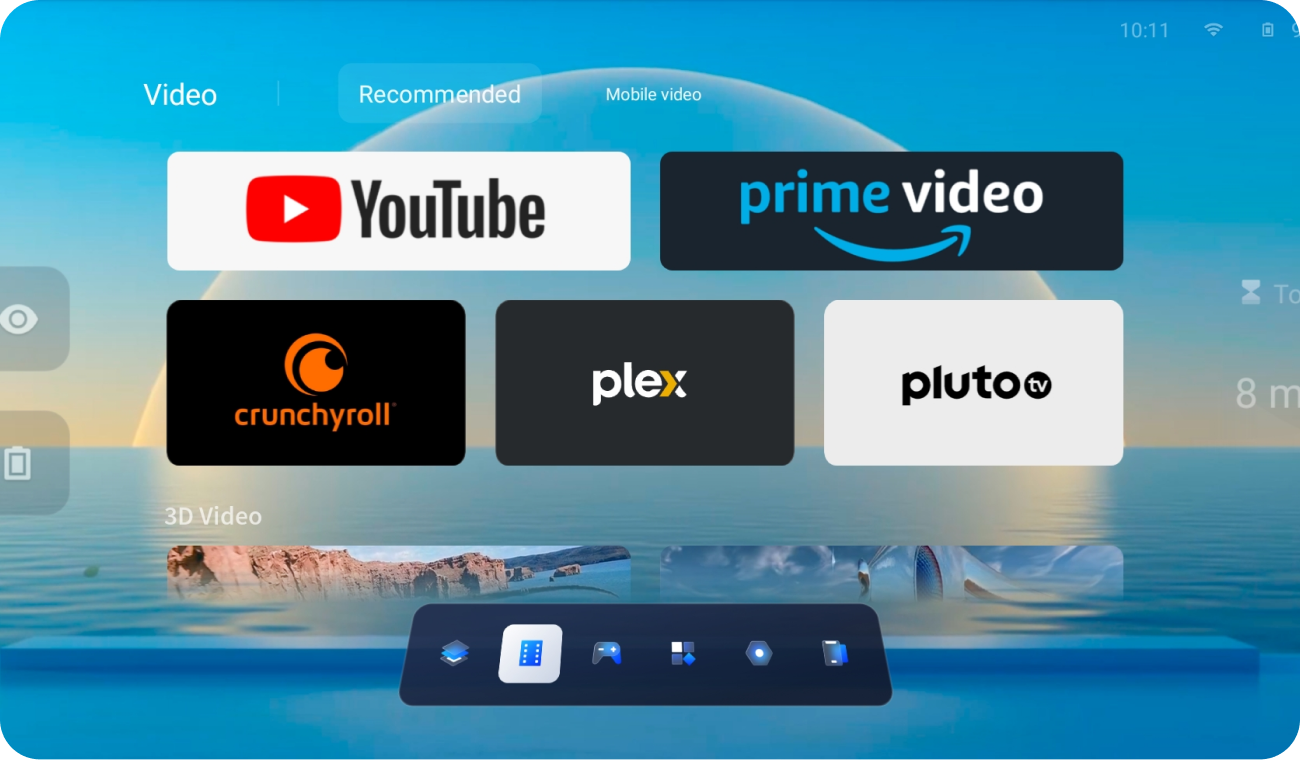
        Films and TV Series

        There are built-in film and TV applications and film and TV content based on the web end.

        What's In The Box

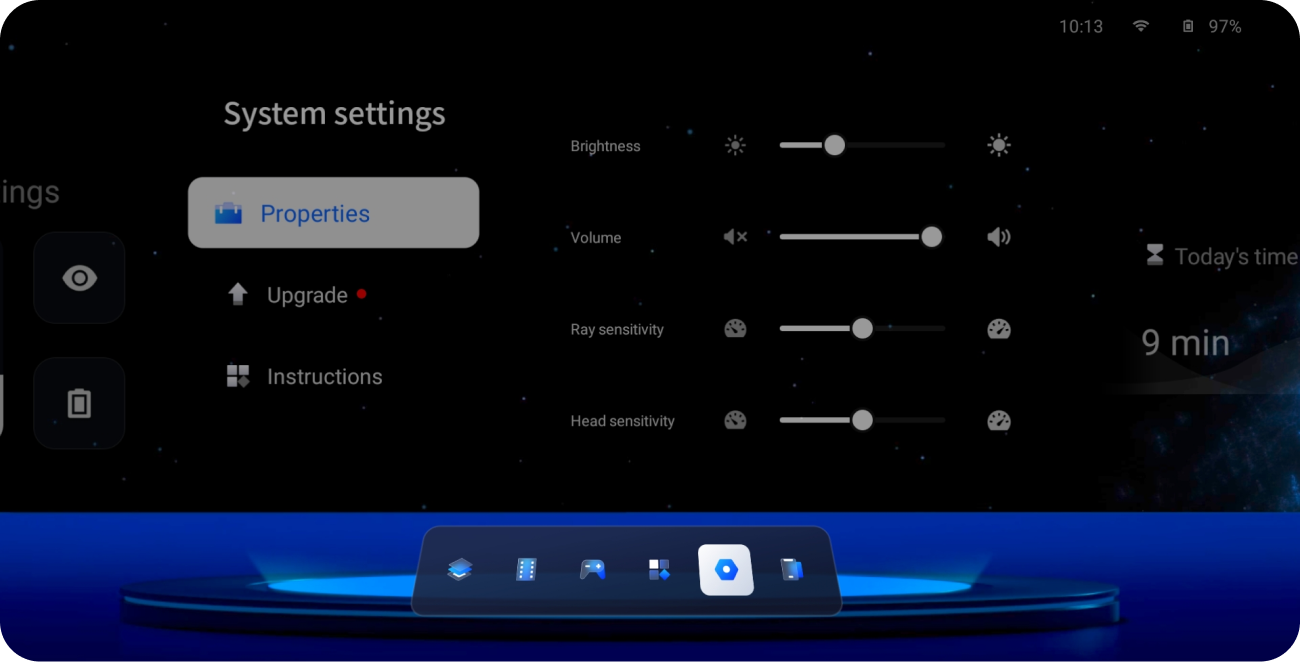
        Settings of Glasses Parameters

        You can set the parameters of the glasses, including color, whisper, firmware, etc., on both the front page and within the XR space.

        What's In The Box

        Application Store

        Manage the downloaded applications.


        What's In The Box

        Player & Nas Cloud Disk

        There is a local professional player that supports 3D left and right and 2D video playback. The 3D resolution is 38401080, and the 2D resolution is 19201080. Import the required film and TV content to the mobile phone, and you can quickly view it under the local video folder module.

        The player supports external subtitles, including subtitle files in srt and ass formats.

        Supports access to Nas private cloud.


        What's In The Box

        WebXR Content

        Experience VR content or 360 content based on the webxr standard protocol.

        30日間価格保証

        30日以内に価格が下がった場合、差額を返金します。

        30日間返品・交換無料

        購入から30日以内の返品・交換は無料です。

        送料無料・スピード配送(3-5日)

        全品送料無料。3〜5日でお届けします。

        安心の品質保証

        1年間の製品保証と、無期限のテクニカルサポート付き。

        サポート
        • ダウンロード
        • 注文を追跡する
        • 使い方
        • お問い合わせ
        • オープンプラットフォーム
        • 互換性
        規約・ポリシー
        • 利用規約
        • 保証
        • 返金ポリシー
        • プライバシーポリシー
        • 配送ポリシー
        RayNeo
        • About Us
        • Contact Us
        • Terms of Use

        RayNeo.JP

        Keep in Touch with our Newsletter

        • Facebook
        • X (Twitter)
        • Instagram
        • YouTube
        • TikTok
        • X (Twitter)
        • X (Twitter)
        © 2026 RayNeo.JP. Powered by Shopify
        • プライバシーポリシー
        • 返金ポリシー
        • 利用規約
        • 配送ポリシー
        • 連絡先情報
        • American Express
        • Apple Pay
        • Diners Club
        • Discover
        • Google Pay
        • JCB
        • Maestro
        • Mastercard
        • PayPal
        • Union Pay
        • Visa
        • 選択をするとページが更新されます。
        • 新しいウィンドウで開きます。