


Contents
- Fit Check: Which AI Experience Do You Actually Want?
- The Tech: "Native Integration" vs. "Bluetooth Relay"
- Prerequisite Check: The Cost of Intelligence
- Head-to-Head: The Top AI Glasses of 2026
- Scenario Analysis: "Visual AI" vs. "Audio AI"
- Deep Dive: Setting Up RayNeo X3 Pro for AI
- Comparison Matrix: AI Capabilities
- Act: Choosing Your AI Companion
- FAQ
Since the launch of ChatGPT, the dream of the "Iron Man" interface—JARVIS—has felt tantalizingly close. We have the software (Large Language Models), but the hardware has lagged behind. Most of us are still typing prompts into a phone app or talking to a smart speaker that sits on a desk.
You are here because you want to break that tether. You want the intelligence of ChatGPT, but you want it in your head, available instantly while walking, working, or cooking, without looking down at a screen.
The Short Answer: Yes, smart glasses that work with ChatGPT exist, but they function in two very different ways.
-
The "Audio-First" Approach: Glasses like the Solos AirGo 3 integrate ChatGPT directly into their app, allowing you to converse with the AI via voice. It whispers answers in your ear. It is like the movie Her.
-
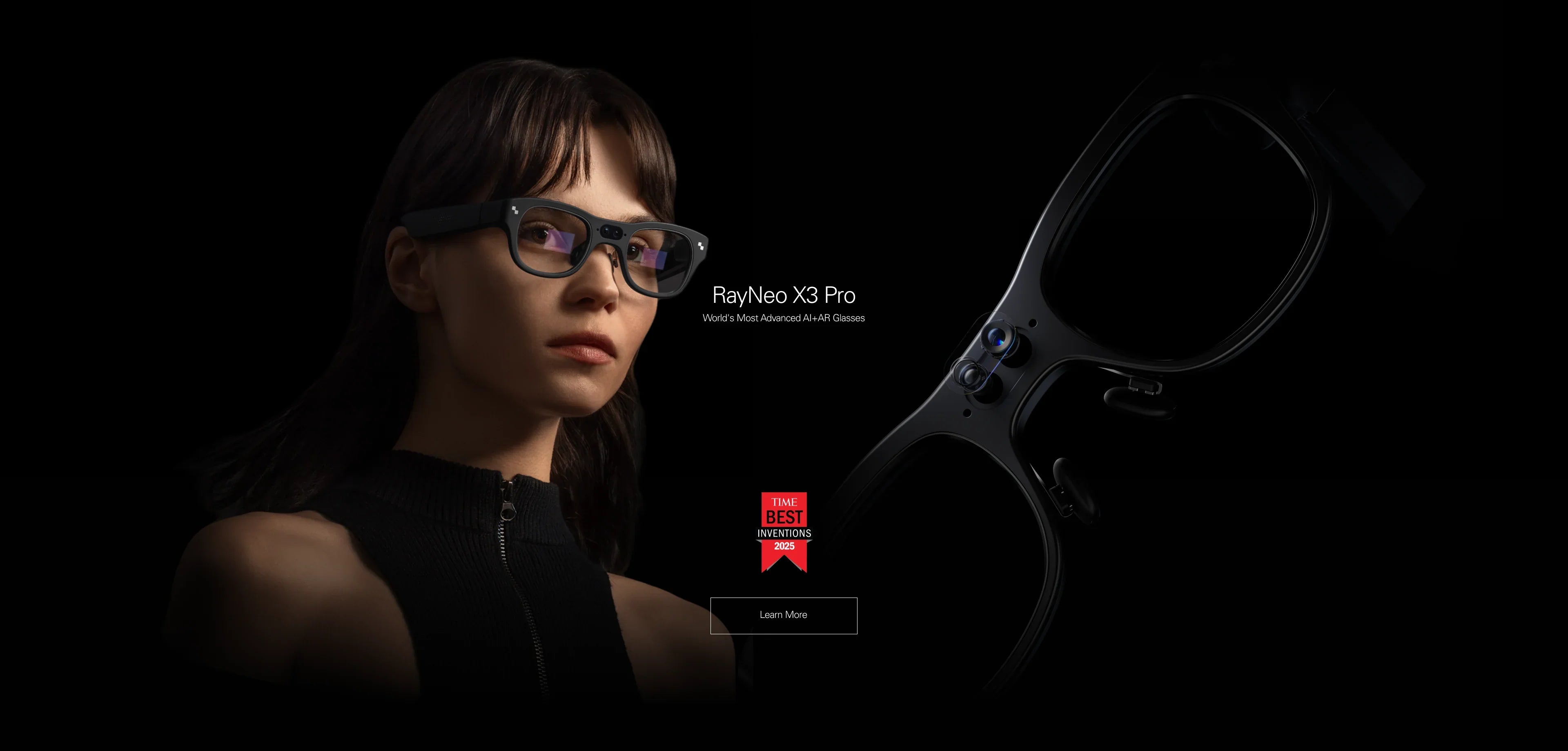
The "Visual-First" Approach: Standalone AR glasses like the RayNeo X3 Pro use multimodal AI. They don't just speak; they show you the answer on a transparent display. More importantly, they can see what you see (via camera) and analyze it using GPT-4o or similar vision models.
In this guide, we will navigate the rapidly evolving landscape of AI eyewear, explaining the difference between "Bluetooth Audio" and "True Integration," and helping you decide if you need a voice in your ear or a computer in your eye.
Fit Check: Which AI Experience Do You Actually Want?

Before buying hardware, you must define the interaction. AI is useless if the delivery method doesn't match your workflow.
Type A: The "Conversationalist" (Audio Only)
The Scenario: You want to practice a new language, brainstorm ideas while jogging, or ask for a trivia answer while driving. You want a seamless voice conversation.
-
The Need: Lightweight frames, excellent microphones, and "Always-Listening" capability.
-
The Recommendation: ChatGPT-Integrated Audio Glasses (e.g., Solos AirGo 3).
-
Why: A visual display isn't necessary for conversation; it might even be distracting.
Type B: The "Visual Analyst" (Visual AR)
The Scenario: You are looking at a broken engine part and need instructions. You are reading a menu in French and need a translation. You are coding and need a syntax reminder floating next to your monitor.
-
The Need: A camera to analyze the world (Multimodal AI) and a Heads-Up Display (HUD) to show diagrams, lists, and text.
-
The Recommendation: Standalone AR Glasses (e.g., RayNeo X3 Pro).
-
Why: Audio is too slow for complex information. Reading a list is 3x faster than listening to it.
Type C: The "Meta Ecosystem" User
The Scenario: You just want a smart assistant and you already use WhatsApp/Instagram heavily.
-
The Reality Check: The popular Meta Ray-Ban glasses currently use Meta AI (Llama 3), not ChatGPT. While capable, they are a walled garden. If you specifically need OpenAI's ChatGPT features (like custom GPTs), Meta glasses are not the native solution.
The Tech: "Native Integration" vs. "Bluetooth Relay"
This is the most common trap for buyers. Any pair of Bluetooth glasses (even $20 ones) can "work" with ChatGPT if you open the ChatGPT app on your phone and tap the "Voice Mode" button. The glasses just act as a headset.
True Integration means the glasses have a dedicated method to trigger the AI without touching your phone.
Level 1: Bluetooth Relay (Low Utility)
-
How it works: You unlock your phone, open the app, and talk.
-
Friction: High. It defeats the purpose of "hands-free."
Level 2: App Integration (Medium Utility)
-
How it works: The glasses have a companion app running in the background. A specific "Tap and Hold" gesture on the glasses wakes up ChatGPT directly.
-
Example: Solos AirGo 3.
Level 3: Onboard OS Integration (High Utility)
-
How it works: The glasses run their own operating system (Android). The AI is baked into the interface. You can see the AI thinking, read the response, and interact with visual cards.
-
Example: RayNeo X3 Pro. Because it runs Android, it can access Large Language Models directly via Wi-Fi, independent of specific phone app restrictions.
Prerequisite Check: The Cost of Intelligence
Running advanced AI on your face comes with infrastructure requirements.
-
Internet is Oxygen: ChatGPT lives in the cloud. Your glasses must have a data connection.
-
Standalone (X3 Pro): Requires a mobile hotspot or Wi-Fi.
-
Tethered (Solos): Requires your phone to have a strong 4G/5G signal.
-
Latency: If you have poor signal, the AI will take 3-5 seconds to respond, which kills the conversational flow.
-
-
Privacy & Cameras: If you choose Visual AI (RayNeo X3 Pro), you are wearing a camera. Using the "Look and Ask" feature in public requires social awareness. Audio-only glasses are more discreet.
-
Battery Drain: Constant API calls and voice processing drain battery. Expect 3-5 hours of active AI use. A charging case (included with X3 Pro and Solos) is mandatory for a full day.
Head-to-Head: The Top AI Glasses of 2026
Let's compare the leaders in the "Visual" vs. "Audio" categories.
1. The Visual Powerhouse: RayNeo X3 Pro
-
The Interface: A full-color MicroLED Waveguide display.
-
The AI Interaction: You can speak to it, but more importantly, you can use the Multimodal Camera.
-
Example: You point at a flower. You ask, "What species is this and is it toxic?" The glasses take a snapshot, analyze it via AI, and display the Wikipedia summary and a "Toxic" warning label floating next to the plant.
-
-
Unique Advantage: Information Retention. If you ask for a recipe or a code snippet, it stays on the screen. With audio glasses, if you forget the third ingredient, you have to ask the AI to repeat it.
-
Best For: Professionals, developers, travelers, and visual learners.
2. The Audio Specialist: Solos AirGo 3
-
The Interface: Audio only (Whisper speakers).
-
The AI Interaction: Dedicated ChatGPT integration via the SolosChat app. It supports live translation and coaching.
-
Unique Advantage: Modularity. You can swap the front frames (styles) while keeping the smart temples. It is extremely lightweight (~30g).
-
Best For: Runners, language learners, and minimalists.
3. The Ecosystem Alternative: Meta Ray-Ban
-
The Interface: Audio only.
-
The AI: Meta AI (Llama 3).
-
The Comparison: It is faster for "current events" (e.g., "What is the score of the NBA game?") because it has real-time search access (Bing/Google integration varies). However, it lacks the depth of reasoning and coding capability that ChatGPT-4o offers on other platforms.
Scenario Analysis: "Visual AI" vs. "Audio AI"
To help you choose, let's walk through three real-world tasks using the RayNeo X3 Pro (Visual) versus an Audio-only glass.
Task 1: The "Fridge Test" (Cooking)
-
Audio Glass: You list the ingredients you see: "I have eggs, milk, and spinach. What can I make?" The AI suggests an omelet.
-
RayNeo X3 Pro: You open the fridge. The camera scans the shelf. You ask, "What can I cook with this?" The AI identifies items you didn't even notice (like the cheese in the back) and projects a recipe list. You pin the recipe to your view while cooking. Winner: Visual.
Task 2: The "Email Summary" (Work)
-
Audio Glass: The AI reads a long email to you. It takes 2 minutes. You zone out halfway through.
-
RayNeo X3 Pro: The AI summarizes the email into 3 bullet points displayed on the lens. You read it in 5 seconds. Winner: Visual.
Task 3: The "Therapy Session" (Conversation)
-
Audio Glass: You go for a walk and vent to the AI. It responds with empathy. It feels like a phone call.
-
RayNeo X3 Pro: Seeing a floating avatar or text might break the immersion of a deep conversation. Winner: Audio.
Deep Dive: Setting Up RayNeo X3 Pro for AI
If you decide to go the "Visual AR" route, here is how you optimize the RayNeo X3 Pro for intelligence.
-
App Configuration: Download the RayNeo App. During setup, ensure you grant "Camera" and "Microphone" permissions, or the AI features will be disabled.
-
The "Wake Word": You can configure the glasses to listen for a specific phrase (like "Hey RayNeo") or map a double-tap on the temple to launch the AI listener instantly.
-
Visual Search Mode: To save battery, the camera is off by default. You must explicitly enter "AI Assistant" mode or double-click the capture button to trigger a visual query.
-
Region Check: Ensure you are in a region where the supported AI services are active. The standalone Android system allows for some flexibility in app installation compared to closed systems.
Comparison Matrix: AI Capabilities
Act: Choosing Your AI Companion
The decision comes down to Bandwidth—not internet bandwidth, but human bandwidth. How much information do you need to process?
Choose RayNeo X3 Pro If:
-
You need to process complex data (code, recipes, translations, mechanics).
-
You are a visual learner who retains information better by reading than listening.
-
You want the "Multimodal" future where the AI sees what you see.
-
Action: Explore the X3 Pro tech specs to see if the MicroLED display meets your outdoor needs.
Choose Audio Glasses (Solos/Meta) If:
-
You primarily want a conversational partner or language tutor.
-
You want the lightest possible frame for all-day wear.
-
You don't need to read lists or diagrams.
Wait for RayNeo Air 4 Pro If:
-
You don't care about AI assistance, and you just want to watch movies using the best audio and visual tech available. (Coming Jan 2026).
-
Action: Sign up for Air 4 Pro alerts.
FAQ
Q: Can the RayNeo X3 Pro write code for me? A: Yes. You can dictate a problem, and the AI can generate a code snippet. Because it has a display, you can actually read the syntax on the screen, which is impossible with audio-only glasses.
Q: Does the AI cost money? A: Currently, standard AI features on RayNeo devices are included. However, as the industry evolves, specific premium models (like GPT-5 or advanced enterprise tools) might require a subscription or API key integration in the future.
Q: Is the "Visual Search" private? A: When you use the camera for AI analysis, the image is typically sent to the cloud for processing and then discarded (policies vary by provider). It is not "livestreaming" everything you see unless you activate that specific mode. RayNeo includes a physical LED indicator to alert bystanders when the camera is active.
Share:
What Are the Best Smart Glasses Right Now? The Ultimate 2026 Guide
Are There Smart Glasses With a Display That Support Prescription Lenses? (2026 Guide)